
Tasty Tum!
Street food sold on the days the grill is on, paid for outside the app, and followed to the door.
iOS · Android
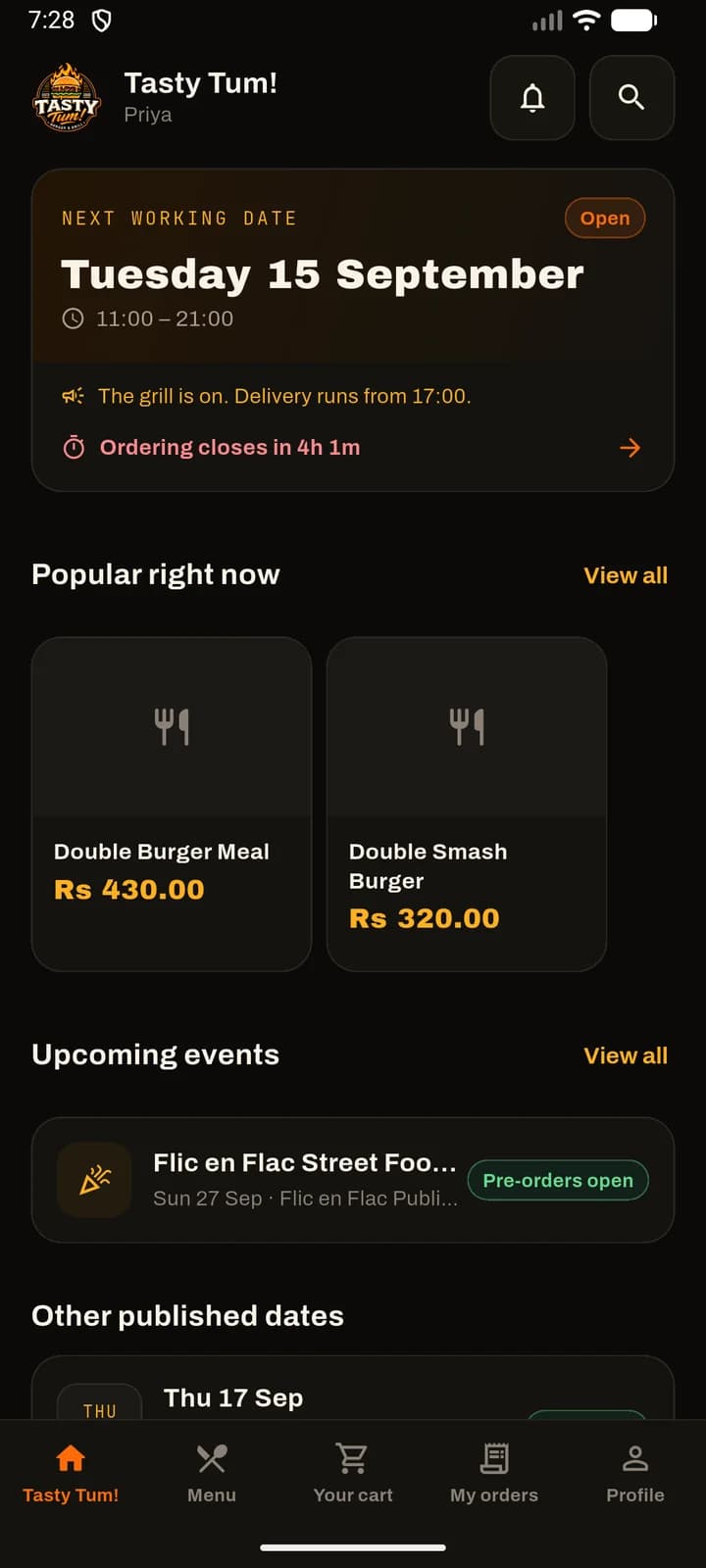
Working dates 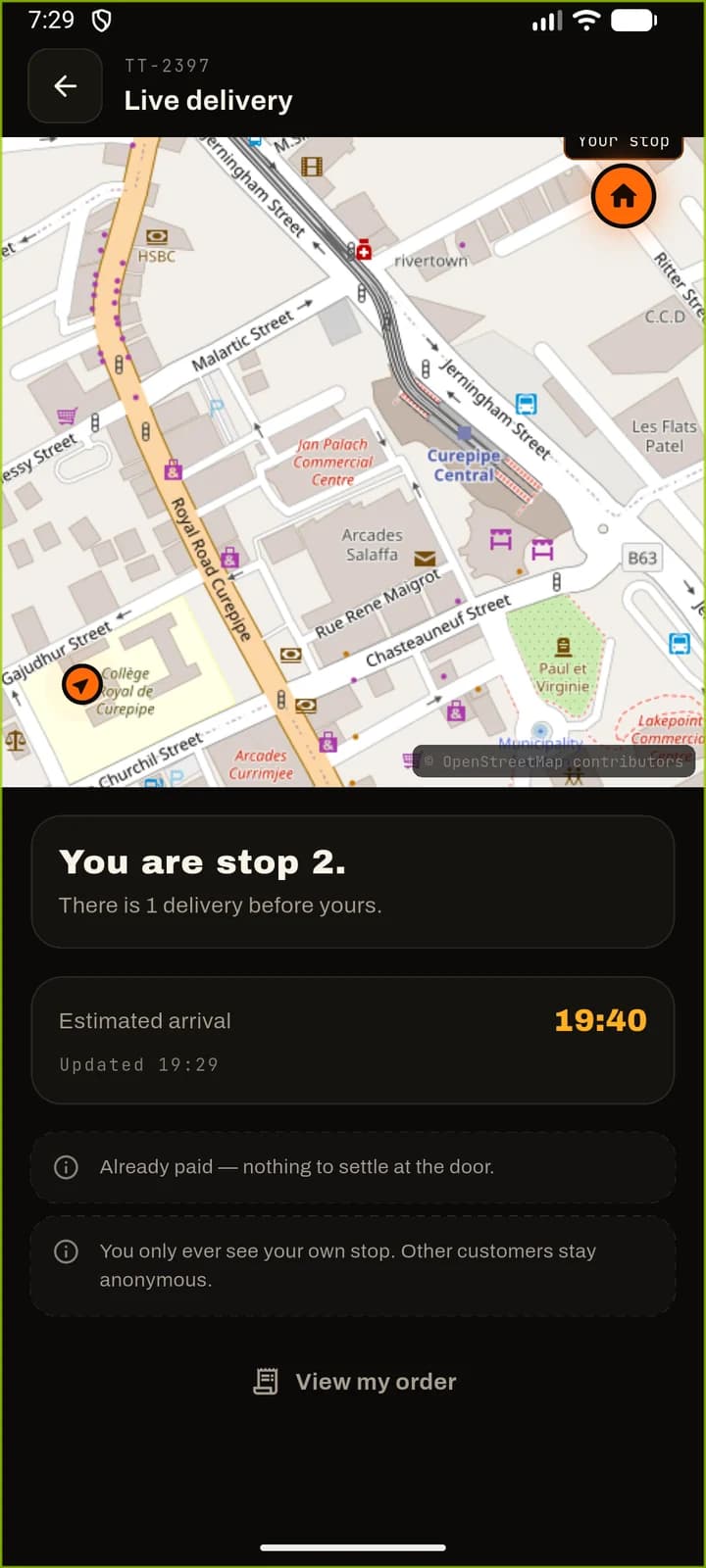
Live tracking 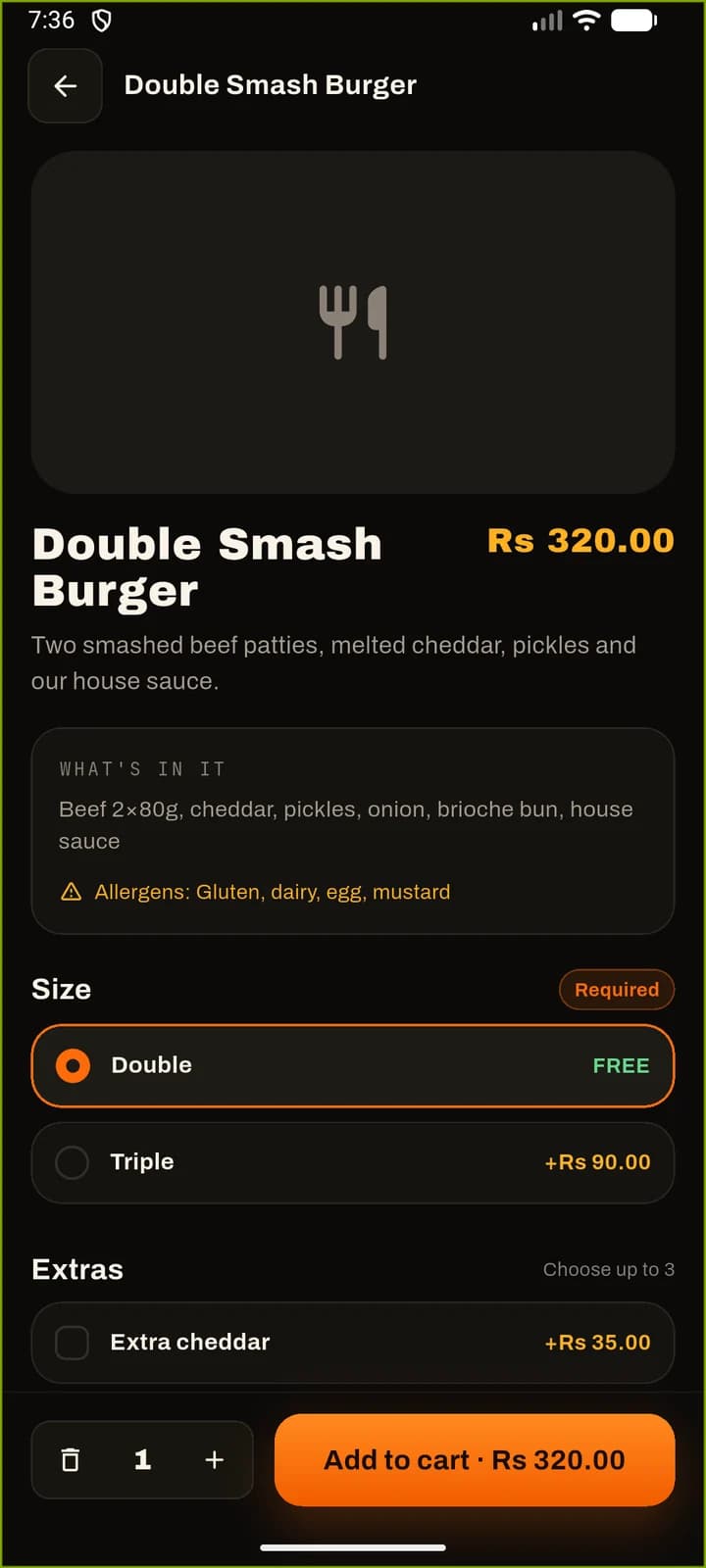
Product detail 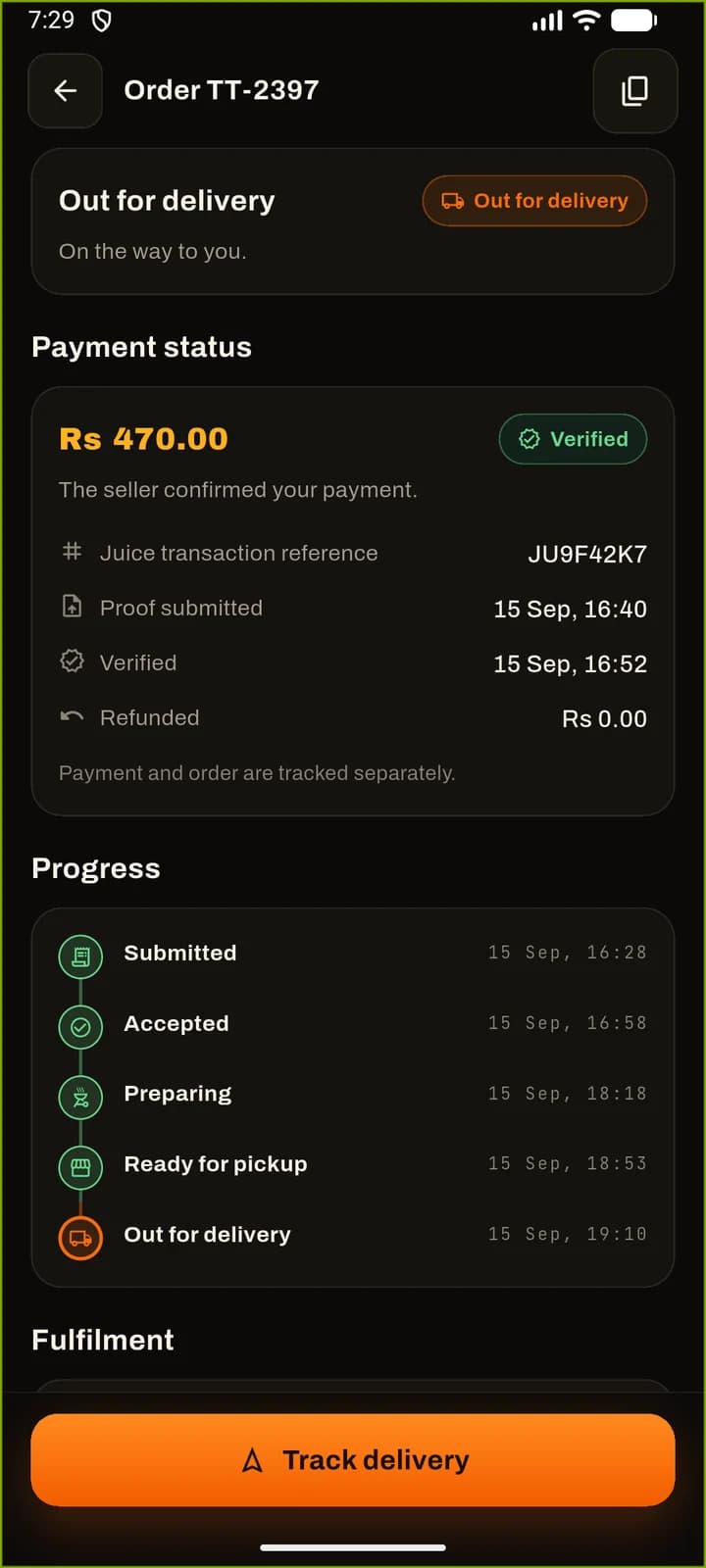
Order detail
A street-food kitchen is not a restaurant with opening hours. It cooks on the days it chooses, from the places it chooses, and it sells out. Mauritius also pays by Juice — a bank transfer with a reference, not a card gateway — so the money lands before anyone has agreed to cook, and a person has to match the two. Both facts had to live in the product rather than be worked around in support.
Product definition, interface design, the architecture of both halves, the Flutter app for customers and for the seller, the NestJS API and its PostgreSQL model, pricing and promotions, the payment-verification workflow, delivery runs and live tracking, notifications, and the deployment setup.
- App Store
- Google Play
The App Store listing is still being published under the app’s current name. The app itself is built and running on both platforms.
- iOS
- Android
- Application
- Flutter
- Dart
- BLoC
- go_router
- get_it
- Clean Architecture
- Backend
- NestJS
- TypeScript
- Prisma
- Argon2id
- JWT
- Socket.IO
- Data
- PostgreSQL
- Serialisable transactions
- Infrastructure
- Docker Compose
- nginx
- Firebase Cloud Messaging
- OpenStreetMap
- OSRM
- Quality & delivery
- Jest
- Supertest
- ESLint
- Prettier
- flutter_test
- Product strategy
- UI/UX design
- Design system
- Technical architecture
- Mobile development
- Backend development
- Database design
- Integrations
- Testing & QA
- Deployment
- Maintenance
What it does
Each part was built for a real job on the day, not for a feature list. The product’s own site walks through them in full.
Days, not opening hours
Nothing can be ordered except on a working date the seller has published, and only before that date's cutoff. When nothing is open the app says so and offers the next date rather than taking an order it cannot honour.
The menu belongs to the day
Each working date carries its own dishes, its own prices, its own pickup points and its own delivery regions. Yesterday's price binds nothing, and a dish withdrawn for one date is still there for the next.
Several pickup points at once
More than one pickup point can run on the same date, at different or overlapping hours, each with its own collection slots and its own capacity. A slot shown full is full.
Delivered to a pin, not a region
The customer places the exact point on a map and adds a landmark and instructions for the courier. The fee follows from the region, and some regions carry none.
Juice payment, checked by a person
The customer transfers the amount in Juice, then submits the transaction reference and a screenshot. The seller checks it against their own Juice history and marks it verified or rejected, with the reason attached.
Paid and accepted kept apart
Money arriving is not the kitchen agreeing to cook. The two states are tracked and shown separately, a rejected payment holds the order rather than killing it, and a corrected proof puts it back in the queue.
Offers that apply themselves
Free items, percentages, fixed amounts and bundle prices, with conditions on date, product, quantity and total. Qualifying offers land at checkout without a code, and a code that does not qualify says why.
Live delivery, bounded
Once a run starts: queue position, how many stops are ahead, a moving estimate, and roughly where the courier is. Each customer is sent only their own stop, and the position is coarsened before it leaves the server.
Kitchen tickets
Every order becomes a ticket with its variants, extras, allergen notes and the customer's own note, so what reaches the grill is what was ordered.
Runs planned, then driven
The seller gathers a date's delivery orders into a run, orders the stops, then drives it from the same app — sharing position only while the run is actually active.
Events with their own pre-orders
A festival or a market gets its own dates, its own slots and its own menu, priced and capped independently of the ordinary working dates.
Revenue, margin and cost
Takings by date, product and fulfilment method, measured against the cost price captured at the time of sale — so margin is what actually happened, not what the current price list implies.
One order, traced
A customer opens the app on a day the grill is on and orders two burgers to their door. This is everything between that and the food arriving.
Read from pricing.service.ts, orders.service.ts, payments.service.ts and tracking.gateway.ts. Every name below appears in the source exactly as written.
- 01
A day has to be declared first
There is no permanent storefront. The seller publishes a working date with its hours, its ordering cutoff and whether it does pickup, delivery or both, and everything the customer sees hangs off that row.
- WorkingDate
- orderCutoffAt
- FulfilmentCapability
What it says when it refuses
Past the cutoff, or on a date that was never published, the date is simply not orderable — the app offers the next one instead of collecting a basket it would have to reject.
- 02
The price comes from the server
The basket is sent to the API to be priced. Line prices, extras, offers and the delivery fee are all resolved there against that date's menu, and the app displays what comes back rather than anything it worked out itself.
- POST /cart/price
- PricedCart
What it says when it refuses
A promotion code that does not qualify comes back as a named failure with the priced basket intact, so the customer sees why it did not apply without losing their order.
- 03
A delivery needs an actual point
For delivery the customer places a pin, not just a region. The region decides the fee and whether there is a minimum; the pin is what the courier drives to and what the run is planned around.
- latitude
- longitude
- DeliveryRegion
- fee
What it says when it refuses
An address with no coordinates is refused outright — "an exact delivery pin is required" — before any of the pricing work is repeated.
- 04
Checkout re-prices what it is about to write
Placing the order does not trust the figures the app is holding. The same basket is priced again in strict mode inside a serialisable transaction, and the order is written from that result.
- price
- strict: true
- serialisable
What it says when it refuses
Anything that moved since the customer last looked — a dish sold out, a price changed, a slot taken — fails the strict pass and the order is not written.
- 05
Capacity is claimed, not checked
The date, the slot and the delivery window are each claimed by a conditional update that carries its own capacity predicate. A row that filled up between pricing and commit updates nothing.
- reserveCapacity
- updateMany
- count === 0
What it says when it refuses
Zero rows updated is the refusal: "this date is fully booked". Two customers racing for one remaining slot cannot both get it.
- 06
Then the customer pays, outside the app
The order exists before the money does. The customer transfers in Juice and submits the reference and a screenshot, which are stored as a numbered attempt against the payment — so a corrected proof adds to the record rather than overwriting it.
- Payment
- PaymentProof
- PENDING_VERIFICATION
- 07
A person verifies; acceptance is separate
The seller compares the reference against their Juice history and marks the payment verified or rejected. Accepting the order is a different decision, taken on its own — and the app shows both states rather than collapsing them into one.
- PaymentStatus.VERIFIED
- OrderStatus.ACCEPTED
What it says when it refuses
A rejected payment carries its reason and holds the order open rather than cancelling it; the customer resubmits and it returns to the queue.
- 08
Delivery is a run, not a status
The seller gathers that date's delivery orders into a run, orders the stops and starts driving. Position sharing begins with the run and stops the moment it is paused, finished or cancelled — it is tied to the run's state, never to whether a screen happens to be open.
- DeliveryRun
- DeliveryStop
- DriverLocation
- 09
Each customer watches only their own stop
The tracking socket puts every customer in a room of their own, keyed to their order, and builds a separate payload for each one: their position in the queue, the stops ahead, their estimate and an approximate courier position.
- subscribe:order
- customerRoom
- coarsenCoordinate
What it says when it refuses
Subscribing to an order that is not yours is refused at the socket, before any payload is built — the authorisation is on joining the room, not on what the screen chooses to show.
Engineering detail
Taken from the project source, not from marketing material.
- Architecture
- Feature-first Clean Architecture in Flutter — BLoC for state, go_router with stateful shells, get_it and injectable for the object graph, Retrofit over Dio for the API; 211 hand-written Dart files
- Backend
- Its own NestJS API over PostgreSQL through Prisma — 35 models, 22 feature modules, Argon2id password and one-time-code hashing, rotating refresh tokens whose reuse invalidates the whole family
- Money
- No total is ever computed on the device. Every figure comes from POST /cart/price, and placing an order re-prices the same basket server-side in strict mode before anything is written
- Tracking privacy
- Socket.IO rooms per order: a customer can only subscribe to an order they own, each payload is built for that one customer, and the courier's coordinates are coarsened to about 11 m before they are sent
- Device capabilities
- Map rendering and pin placement (flutter_map over OpenStreetMap), device location (geolocator), screenshot upload for payment proof, Firebase Cloud Messaging alongside local notifications
- Quality
- 100 unit tests and 198 end-to-end tests on the API, 109 widget and unit tests in Flutter, with lint, type-check and formatting clean on both halves
Street food sold on the days the grill is on, paid for outside the app, and followed to the door.